
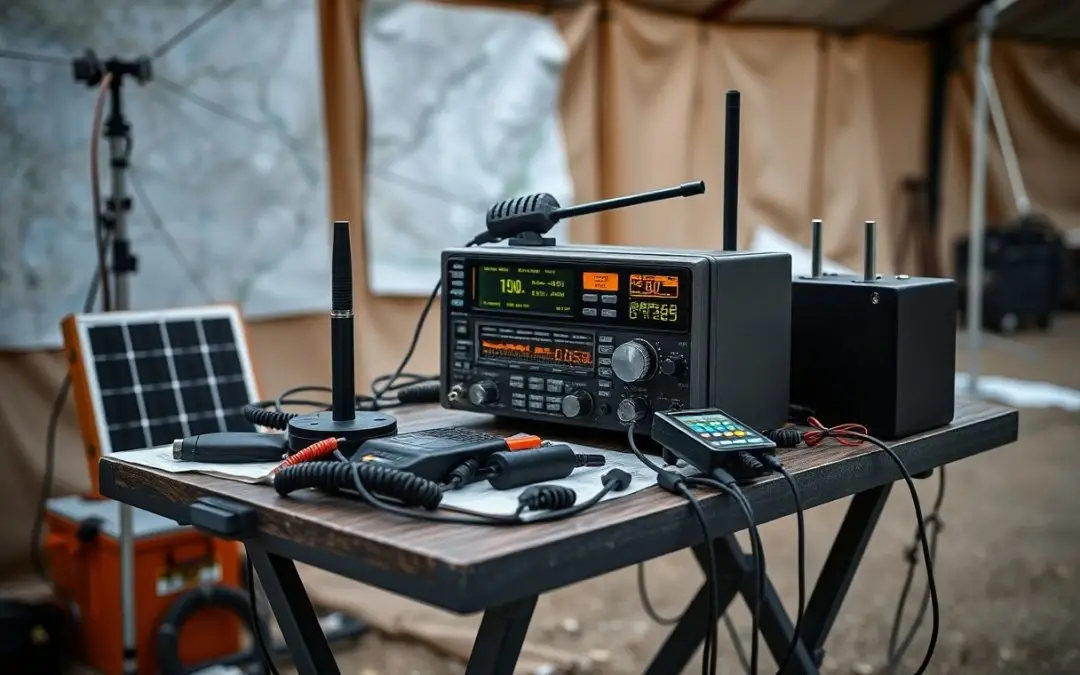
Connection is not guaranteed when networks fail, but you can still stay in touch. You have practical tools and strategies to maintain contact during outages. This guide shows you how to prepare, what gear to keep ready, and which low-tech methods work best when digital systems stop responding.
Assessing Critical Communication Factors
- Range and terrain impact signal strength
- Power source reliability determines uptime
- Equipment durability affects performance
Thou must evaluate every variable that could disrupt contact when systems fail.
Identifying range and terrain limitations
Distance alone doesn’t determine signal reach-natural and urban obstacles do. Hills, dense forests, and concrete structures can block or weaken transmissions. You need to map your environment and test communication tools under real conditions. Knowing these limits helps you plan relay points or adjust methods before a crisis hits.
Evaluating power source reliability
Batteries run out, generators fail, and grid power isn’t guaranteed. You should test how long your devices operate on backup power and whether recharging options are viable off-grid. Solar chargers, hand-crank units, or spare battery banks can extend usability when outlets vanish.
Power source reliability goes beyond having extra batteries. You face real risks when devices depend on a single charging method that fails during extended outages. Consider how temperature, fuel access, and device efficiency affect performance. Rotate and maintain stored power supplies regularly so they work when needed most.
How to Deploy Mesh Networking Solutions
Mesh networks let you maintain communication when traditional systems fail. You can set up a decentralized web of devices that relay messages between each other. By using compatible hardware and open-source firmware, your network remains operational without relying on central infrastructure. This approach works well in urban and remote areas alike.
Configuring smartphone-linked radio nodes
You can turn everyday smartphones into communication hubs by pairing them with low-power radio adapters. Install mesh networking apps like Briar or Serval to enable direct device-to-device messaging. Once linked, your phone sends and receives data through nearby nodes, extending your reach without cellular service.
Creating a decentralized data relay
Each node in your network forwards messages to the next until they reach their destination. You don’t need every device to connect directly-data hops across available paths automatically. This redundancy keeps information flowing even if some nodes go offline.
Setting up a decentralized data relay means your messages travel through multiple devices without relying on any single point. You benefit from automatic routing protocols that adapt to node availability, signal strength, and distance. As more participants join, the network becomes more resilient and covers greater distances, allowing text, location pings, or emergency alerts to propagate efficiently-even in disconnected environments.
Utilizing Satellite Technology for Emergency Alerts
Satellite technology gives you a lifeline when ground-based networks fail. You can send SOS signals and receive emergency alerts even in remote areas, ensuring help knows your location. These systems work independently of local infrastructure, making them reliable during disasters. With the right device, you stay informed and reachable when it matters most.
Selecting reliable SOS messaging hardware
You need a device built for durability and consistent performance in extreme conditions. Look for models with proven track records in emergency situations, long battery life, and global coverage. Ensure it supports two-way messaging so you can confirm receipt of alerts. Your safety depends on choosing gear that won’t let you down.
Optimizing line-of-sight for orbital links
Your satellite signal depends on a clear path to the sky. Obstructions like trees, cliffs, or buildings weaken or block transmission. Position yourself in open areas and hold the device steadily overhead. Small adjustments can make the difference between a successful alert and a failed connection.
For the best orbital link, timing and location matter just as much as equipment. Satellites move in predictable orbits, so knowing when one will pass overhead increases your chances of connecting. Use your device’s signal indicator to find the optimal window and orientation. Even slight elevation changes-like moving to a hilltop or clearing-can dramatically improve signal strength and message delivery speed.
Mastering Two-Way Radio Operations
Understanding your radio’s functions ensures clear, reliable communication when networks fail. You need to know how to power it correctly, adjust volume and squelch, and switch channels with confidence. Practice turning it on, selecting frequencies, and testing transmissions in different environments to build familiarity and speed during real emergencies.
Navigating GMRS and UHF/VHF frequencies
GMRS offers longer-range communication with licensed use, while UHF and VHF bands serve different terrain needs. You’ll find UHF better in cities with buildings, and VHF excels in open, rural areas. Choose the right frequency type based on your location and group size to maintain consistent contact.
Implementing effective radio etiquette and brevity
Clarity and timing matter every time you key the mic. You should state your call sign, keep messages short, and wait your turn to avoid crosstalk. Using standard phrases like “over” and “out” helps everyone follow the conversation without confusion or wasted airtime.
Efficient communication means saying only what’s necessary without sacrificing clarity. You reduce errors and interference by sticking to a clear structure: identify yourself, state your message, and confirm receipt. Avoid emotional language, repeat critical information once, and always listen before transmitting to prevent stepping on urgent messages from others in your network.
Tips for Offline Information Management
- Download offline maps before connectivity drops
- Save critical documents in multiple formats
- Use encrypted USB drives for secure data transfer
Any reliable system depends on preparation you make before the crisis hits.
Downloading topographical and city maps
You can access remote areas without signal by storing detailed topographical and city maps on your device. Many mapping apps allow offline downloads that include trails, roads, and landmarks. Keep these updated monthly to reflect changes in terrain or infrastructure.
Archiving vital digital documents
You protect your identity and access by saving copies of IDs, medical records, and emergency contacts on a password-protected drive. Store them in PDF format to preserve layout across devices. This simple step ensures you’re never without key paperwork.
Archiving vital digital documents means more than just saving files-it means organizing them for quick retrieval under stress. Label folders clearly: “Legal,” “Medical,” “Family Contacts.” Include scanned copies of passports, birth certificates, insurance policies, and prescriptions. Test access regularly on different devices to confirm compatibility. Encryption adds protection without slowing retrieval when seconds count.
Factors for Sustaining Hardware Readiness
- Keep spare batteries charged and stored properly
- Test equipment monthly under simulated outage conditions
- Store devices in climate-controlled, accessible locations
- Label all components for quick identification
Perceiving your gear as a lifeline sharpens your maintenance discipline.
Integrating portable solar charging systems
You gain energy independence when you rely on portable solar panels during extended outages. These systems recharge batteries and small electronics using sunlight, eliminating grid dependence. Choose foldable, weather-resistant models with USB and DC outputs for broad compatibility. Pair them with power banks to store energy for nighttime use.
Hardening equipment against physical damage
You extend device longevity by shielding them from impact, moisture, and dust. Use rugged cases with sealed ports and military-grade drop protection. Mount radios and chargers securely to prevent falls. Store spares in waterproof containers with desiccant packs to guard against humidity and temperature swings.
Equipment exposed to harsh environments fails faster without protection. You face avoidable downtime if devices lack shock absorption or water resistance. Ruggedized casings, rubberized coatings, and sealed connectors reduce vulnerability. Even minor spills or drops can disable standard electronics-design your setup as if every mission depends on it, because it might.
To wrap up
With these considerations, you can maintain contact when communication systems fail. Use battery-powered radios, pre-arranged meeting points, and signal methods like whistles or mirrors. Establish a personal network with neighbors and family, and keep physical maps and contact lists. Your preparedness ensures you stay informed and connected, no matter the situation.


